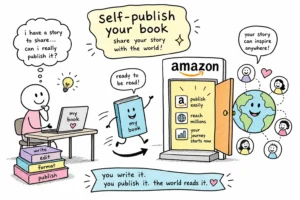
You finish the last sentence of your manuscript, and then the real question hits: now what? For many independent authors, self-publishing with Amazon begins with Kindle Direct Publishing, and for good reason. Amazon’s platform gives you access to both ebook distribution and print-on-demand paperbacks from a single account, with no upfront printing costs and no gatekeeper standing between your book and millions of readers.
The process of self-publishing with Amazon has a clear sequence, but every step has details that can slow you down or create problems if you encounter them mid-upload. Before you click anything in KDP, you need to make five key decisions: file preparation, cover specifications, ISBN selection, royalty and pricing strategy, and metadata setup. This guide walks through each one so you arrive at your KDP Bookshelf prepared. Authors who want professional results without managing every technical detail themselves can work with a service like Sprig Publishing Solutions, which handles KDP setup, file formatting, and publishing configuration from start to finish.
Self publishing with Amazon: Getting your manuscript file ready before you upload
KDP has specific file requirements for ebooks and paperbacks, and submitting the wrong format wastes time while creating formatting errors that affect how readers experience your book. Getting the file right before you open KDP saves you from discovering problems during the upload review.
Ebook file formats KDP accepts
For ebooks, KDP supports two practical options: a validated EPUB file, which is KDP’s preferred format per the Kindle Publishing Guidelines, or a DOCX file that KDP converts automatically during upload. A validated EPUB means the file passes structural and formatting checks before you upload it, catching common conversion problems like broken tables of contents, reflowed text, and inconsistent spacing that can appear when KDP processes a Word document directly. Either way, the file must open cleanly in the KDP Previewer before you submit. If the Previewer shows broken formatting, fix the source file rather than hoping the final version renders differently.
Preparing a print-ready paperback interior
Paperback interiors require a properly formatted PDF that accounts for trim size, margins, gutter, and bleed. KDP does not fix formatting issues automatically; what you upload is what prints. Gutter requirements scale with page count across several bands, for example, books between 151 and 300 pages require a 0.5-inch gutter, while books between 301 and 500 pages require 0.625 inches. Other page-count ranges carry different gutter minimums, so check KDP’s full margin table for your specific page count before finalizing your interior. Authors with complex layouts such as charts, images, footnotes, or equations face a steeper formatting curve and are most likely to encounter problems at this stage.
The metadata-matching rule authors often miss
The title, subtitle, author name, series name, and ISBN inside your manuscript file must match exactly what you enter in the KDP title setup form. A mismatch, such as a pen name in the file differing from the legal name on the form, or a subtitle punctuated differently, can delay or block publication. Check this before you upload anything, not after you receive a review flag. Per KDP’s publishing requirements, these fields are compared during the review process, so consistency across your file and your form is not optional.
Cover design requirements that meet Amazon’s standards
A cover does two jobs simultaneously: it has to look professional on Amazon’s product page, and it has to meet KDP’s technical file requirements. Failing either one costs you sales or triggers rejection during the review process.
Self publishing with Amazon: Cover design file specs
KDP recommends ebook cover dimensions of 2,560 by 1,600 pixels, with a minimum of 1,000 by 625 pixels, saved as a JPEG or TIFF in RGB color space, per the KDP Cover Specifications guidelines. Hitting the recommended size matters because Amazon displays covers in high-resolution search results and product pages where thumbnail quality is immediately visible to shoppers. A blurry or pixelated cover signals an amateur book before readers get to a single word of your description.
Paperback full-wrap cover specs
The paperback cover is not just the front design. It includes the front, spine, and back, all sized precisely to the book’s trim size and exact page count. The spine width changes with page count, which means the cover file must be rebuilt if the interior changes significantly after the cover is created. Sprig Publishing Solutions produces covers already built to these specifications, eliminating the trial-and-error cycle that trips up many first-time authors when they discover their cover file needs to be resized after the interior is finalized.
Setting up your KDP account and uploading your book
The KDP upload process is a sequential form, not a technical mystery. Once your files are ready, the account setup and upload steps move quickly as long as you know what each stage requires.
Creating your title on KDP Bookshelf
After signing into KDP, you create a new title under Bookshelf and choose between Kindle eBook, Paperback, or both. Each format gets its own setup form, and you do not need to complete both in one session because KDP saves your progress. One important detail: enter your legal name or business name in your account profile, not your pen name. The pen name goes in the book details section of the title setup form.
Entering book details and uploading your files
The title setup form collects your title, subtitle, author name, description, backend keywords, categories, and publishing rights. After completing the details, you upload your manuscript file first and then your cover, for each format separately. Amazon KDP auto-converts DOCX files for ebooks, but it does not touch paperback interiors. Whatever PDF you upload for the paperback interior is what gets printed, so the formatting has to be correct before the file leaves your hands.
Using the KDP Previewer before you publish
The online Previewer shows how your book renders across different Kindle devices and the Kindle app. Common issues it catches include broken fonts, compressed images, inconsistent spacing, and cover misalignment. Fixing problems in the Previewer before publishing is significantly easier than correcting a live listing, which requires re-uploading files and waiting through another review cycle. Use the Previewer as a final quality check, not an optional step.
Choosing the right ISBN for your book
ISBN decisions feel complicated until you frame them around one practical question: where do you plan to sell your print book? The answer determines which option makes sense for your publishing goals.
Free KDP ISBN vs. buying your own
KDP offers a free ISBN for paperbacks and hardcovers. The tradeoff is that the free ISBN locks to KDP and lists “Independently published” as the publisher of record. Buying your own ISBN from Bowker gives you imprint control and lets you list your own publishing company name as the publisher of record. Kindle ebooks do not require an ISBN at all; Amazon assigns each ebook an ASIN automatically.
When each option makes sense for your goals
Use the free ISBN if your print edition will live exclusively on Amazon KDP and imprint branding is not a priority. Use your own ISBN if you plan to distribute through IngramSpark or other print retailers, or if establishing publishing credibility under your own imprint matters to you. Whichever ISBN you choose, the details in your manuscript file and your KDP form must match the ISBN registration exactly, or you risk a publication delay.
Understanding royalties, pricing, and KDP Select
The business side of Amazon book distribution lives in these decisions, and getting them right from the start affects how much your book earns per sale over its lifetime.
Ebook royalty rates and the delivery fee
KDP offers two ebook royalty tiers: 70% for books priced between $2.99 and $12.99, and 35% for everything outside that range. The 70% tier includes a delivery fee deducted per sale, averaging around $0.06 per unit, though the exact amount varies with file size. For a standard ebook with minimal images, the delivery fee is negligible. Many first-time authors price their ebook debut between $2.99 and $4.99, staying in the 70% window while keeping the entry point accessible for early readers discovering their work for the first time.
Paperback royalties and printing costs
Paperback royalties are structured at 60% for books priced at $9.99 or above, and 50% for books priced below that, with Amazon’s printing cost deducted before the royalty is calculated. KDP’s printing cost combines a fixed base charge with a per-page rate that varies by ink type and trim size, black-and-white interiors on standard trim sizes carry the lowest per-page cost, while color printing increases it significantly. The printing cost calculator inside the KDP platform lets you run the math on any page count, trim size, and ink type before you set a price, so you know your net royalty before publishing.
KDP Select and the Kindle Unlimited tradeoff
KDP Select enrolls a title in Kindle Unlimited and unlocks Free Book Promotions and Kindle Countdown Deals, but it requires 90-day digital exclusivity to Amazon. During that window, you cannot sell or distribute the ebook anywhere else, including your own website. Genre fiction writers, series authors, and authors planning to use Amazon promotions aggressively tend to benefit most from Select, Kindle Unlimited page reads and Amazon-native discovery can outperform their reach on other platforms. Authors who already have meaningful sales outside Amazon, or who rely on direct-to-reader sales and retailer diversification, generally benefit more from going wide and skipping the exclusivity commitment.
Metadata and your first-launch checklist
Most first-time authors underinvest in metadata, and a well-formatted book with weak metadata will not surface in Amazon search. The discoverability levers covered here are ones you control directly, with no advertising budget required.
Title, subtitle, description, and backend keywords
The title field on KDP must match your cover exactly. For nonfiction, the subtitle carries real search weight; a benefit-rich, audience-specific subtitle drives both discovery and conversion far more than a vague tagline. Your description should speak to the reader’s problem or desire rather than summarize the table of contents. Backend keywords should reflect actual reader search phrases, not repeated terms from your title or subtitle that Amazon already indexes automatically.
Categories, cover alignment, and launch-day actions
Choosing the right two categories determines which Amazon shelves your book appears on. Tightly relevant categories outperform broad, competitive ones because your book has a better chance of ranking and being seen by readers who are already looking for exactly what you wrote. The cover and the metadata must tell the same story: genre signals, audience, and promise. A cover that signals one genre while the description promises another creates a disconnect that shoppers feel even if they cannot name it.
For launch day, a short practical checklist covers the essentials:
- Confirm the listing is live in all chosen marketplaces and the Previewer looks clean on a live device
- the Amazon link with your existing audience through email, social media, or any community you are part of
- Request honest reviews from early readers who received advance copies, providing the direct Amazon link and the review window
- Check that your categories and backend keywords are entered correctly in the live listing
Your book on Amazon is the beginning, not the finish line
Publishing on Amazon through Kindle Direct Publishing follows a clear sequence. Knowing the steps in advance removes the anxiety of discovering problems mid-upload. File format, cover specifications, ISBN selection, royalty tier, and metadata are all decisions you face in order, and most of them are reversible if you change your mind after launch. The one exception is the ISBN choice for print: once assigned, a print ISBN is tied to that edition.
Every decision covered in this guide is manageable when you approach it with the right information. If you want to move faster and hand off the technical side, Sprig Publishing Solutions handles KDP setup, file formatting, cover production, and publishing configuration so you can focus on the work that only you can do: writing the next book. Reach out to discuss your project and see what a guided, done-for-you publishing process looks like from manuscript to live listing.
Self publishing with Amazon is a repeatable process you can optimize with every title you release. The right foundation, set up correctly from the start, gives your work the best possible chance of reaching the readers who are looking for it.